
What Should a Professional Business Brochure Include?
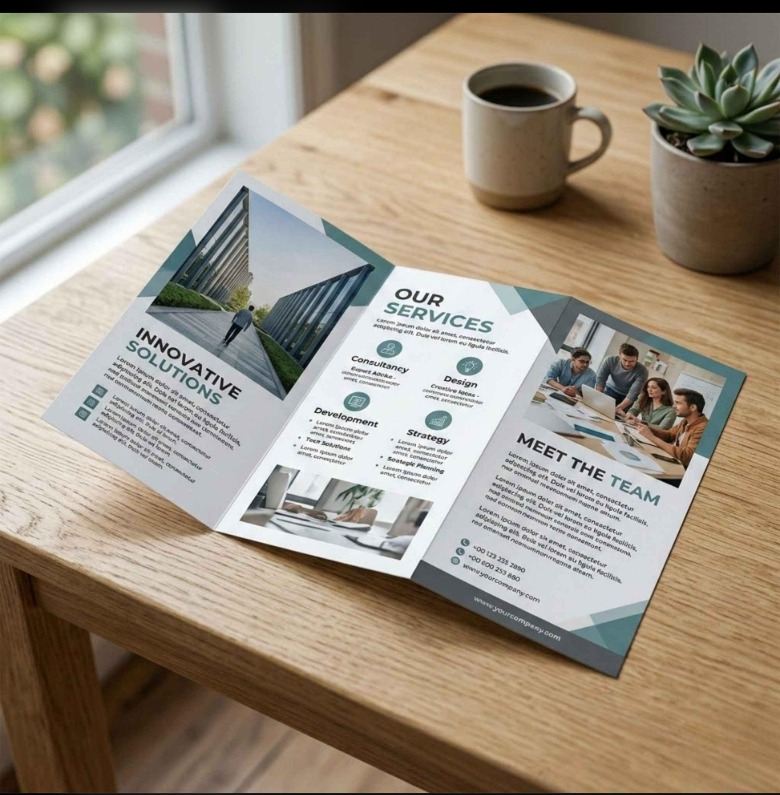
A professional business brochure helps customers understand your services and brand. Discover the essential content, design elements and contact details every effective brochure should include.
# What Should a Professional Business Brochure Include? A business brochure is a useful marketing tool that helps potential customers understand what a company offers, what makes it different and how to get in touch. Whether you run a small business, a retail store, a manufacturing company or a professional service, a well-designed brochure can present your information in a clear and organised way. However, an effective brochure needs more than attractive colours and images. It should contain the right information, follow a logical layout and guide readers towards the next step. In this guide, we will explain what to include in a professional business brochure and how to make it informative, visually appealing and easy to read.
1. A Clear and Attractive Headline
The headline is one of the first things people notice when they look at a brochure. It should quickly communicate the main purpose of the brochure and give readers a reason to continue. For example, a company promoting its services could use a headline that clearly explains what it offers instead of a generic phrase. Keep your headline short, relevant and easy to understand. Avoid using too many slogans or unnecessary words on the front cover.
2. Your Company Logo and Brand Identity
Your logo helps people recognise your business. Place it where it is clearly visible without allowing it to overpower the rest of the design. Use your brand colours and fonts consistently throughout the brochure. This creates a unified appearance and helps the brochure match your website, visiting cards and other marketing materials. For the best print results, use a high-quality logo file rather than a small, blurry image.
3. A Short Company Introduction
Include a brief introduction explaining who you are, what your business does and who you serve. You do not need to include your entire company history. Focus on information that helps a potential customer understand your business. A useful introduction may cover: - Your main products or services - The customers or industries you serve - Your business approach - Relevant experience or qualifications Keep the introduction concise so readers can quickly understand what your company offers.
4. Your Products or Services
This is one of the most important sections of a business brochure. Clearly list the products or services you want to promote. Organise the information under separate headings and use short descriptions instead of long paragraphs. If your business offers several services, group related services together. For each service, explain what it is and how it can help the customer. Use relevant photographs or illustrations where they make the information easier to understand. Only include services that your business actually provides, and make sure all descriptions are accurate.
5. Benefits for Your Customers
Listing services tells people what you do, but explaining the benefits helps them understand why those services may be useful. For example, instead of simply mentioning customised printing, explain how personalised designs can help a business maintain consistent branding across its promotional materials. Focus on genuine customer benefits, such as convenience, clear communication, product suitability or professional presentation. Avoid unsupported claims or promises that your business cannot guarantee.
6. High-Quality Images and Visuals
Images help break up text and make a brochure more engaging. Choose photographs that are directly related to your products, services or industry. For a professional result: - Use clear, high-resolution images. - Choose visuals that match your brand identity. - Avoid stretching or distorting photographs. - Keep image placement consistent across panels. - Leave enough space around text and images. Too many pictures can make a brochure feel crowded. Select a few relevant visuals that support the message rather than adding images just to fill empty space.
7. Why Customers Should Choose Your Business
A brochure should explain what makes your business a suitable choice. This may include your specialisation, service approach, product range, relevant experience or customer support. Use specific, verifiable information wherever possible. If you have permission to display customer testimonials, certifications or genuine project examples, these can help readers evaluate your business. Avoid vague claims such as “the best company” unless you can substantiate them. Clear and honest information creates a more professional impression.
8. Important Business Information
Depending on the brochure's purpose, you may need to include practical details such as: - Business name - Office or shop address - Phone number and email address - Website URL - Business hours, where relevant - Social media profiles Check every detail carefully before printing. An incorrect phone number or broken website link can prevent interested customers from contacting you.
9. A Clear Call to Action
A call to action tells readers what to do after reading your brochure. Choose an action that matches your business goal. For example, you may invite readers to request a quotation, call your team, visit your website or enquire about a particular service. Keep the instruction simple and easy to notice. If you include a QR code, test it on a phone before sending the brochure for printing and confirm that it opens the intended webpage.
10. Choose the Right Brochure Format
The format should suit the amount of information you need to present and the way the brochure will be distributed.
Bi-Fold Brochure
A bi-fold brochure has one fold, creating four panels. It is suitable for a simple company introduction, a small service range or a concise product presentation.
Tri-Fold Brochure
A tri-fold brochure has two folds and six panels. It can work well for businesses that need to introduce their company, describe services and provide contact information in a compact format.
Multi-Page Brochure
A multi-page brochure is useful when a company needs more room for detailed service descriptions, product information, photographs or project examples. Before choosing a format, consider the amount of content, printing requirements and intended audience.
11. Keep the Layout Clean and Readable
Even useful information can be difficult to understand when the layout is overcrowded. Use clear headings, readable fonts, consistent alignment and enough white space. Keep paragraphs short and use bullet points where they improve readability. For folded brochures, plan the content according to the final panel order. Check that important text, logos and images do not fall across fold lines or too close to the edges. A clean layout makes it easier for readers to find the information they need.
12. Check the Brochure Before Printing
Before approving the final design, review both the content and the print file. Use this checklist: - Check spelling, grammar and contact details. - Confirm that the logo and images are clear. - Review the layout at the final printed size. - Check fold lines, margins and bleed requirements with your printer. - Confirm the required colour mode and PDF export settings. - Approve a proof before placing a large print order. The correct technical settings depend on the printer and the selected format, so confirm the specifications before exporting the final file.
Conclusion
A professional business brochure should introduce your company, explain your products or services, highlight relevant customer benefits and provide clear contact information. A suitable format, consistent branding and well-chosen images can make the information easier to understand. Before designing your next brochure, decide what you want readers to learn and what action you want them to take. Then organise each section around that goal. If you need a brochure for your business, plan the content first and work with a design and printing provider to discuss the format, artwork and print requirements.
Frequently Asked Questions
What information should a business brochure contain?
A business brochure commonly includes a headline, company logo, short introduction, products or services, customer benefits, relevant images and contact details.
How many pages should a business brochure have?
The page or panel count depends on the amount of information and the chosen format. A bi-fold or tri-fold brochure may suit a concise presentation, while a multi-page brochure can accommodate more detail.
What makes a business brochure look professional?
Consistent branding, clear headings, readable text, high-quality images, accurate information and a balanced layout all contribute to a professional brochure.
Should I include prices in my business brochure?
Include prices when they are important to the customer's decision and are likely to remain accurate. For customised services, you may prefer to invite readers to request a quotation.
Is a digital brochure different from a printed brochure?
A digital brochure is usually shared as a PDF or online document, while a printed brochure is produced on physical paper. Both should have clear content and consistent branding, but print files also require suitable production settings.
How can I make my business brochure more effective?
Start with a clear purpose, understand your target audience, focus on relevant benefits, organise information logically and finish with a clear call to action.